Essential Design Icons for Modern Creative Projects
In the fast-paced world of visual communication, a single, well-chosen icon can convey complex ideas about your tools, process, and expertise in an instant. This is precisely where a curated set like the 50 Design Icons becomes invaluable, offering a visual shorthand for the entire creative ecosystem, from hardware to software. For graphic designers, marketers, and business owners, integrating such cohesive assets is a strategic move to elevate branding, streamline workflows, and craft more intuitive user experiences.
The Role of a Comprehensive Icon Set
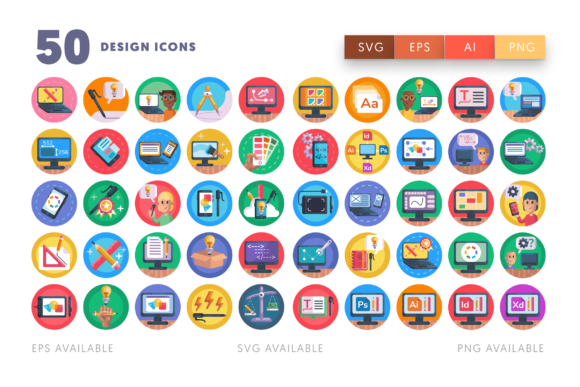
A thoughtfully designed icon library is more than just decoration; it's a functional component of a brand's visual language. This particular collection, featuring Design Icons for tools like the Adobe suite, drawing tablets, and coding interfaces, serves a critical purpose. It bridges the gap between abstract concepts and clear visual communication. Whether you're illustrating a tutorial, building a portfolio website, or designing marketing collateral, these icons provide immediate recognition and professional polish, reinforcing your brand's identity as knowledgeable and detail-oriented.
Practical Applications Across Creative Disciplines
The utility of a versatile icon set spans nearly every facet of design and digital marketing. Here’s how professionals can leverage these assets:
- Branding & Visual Identity: Use icons to represent service offerings on a website or in a brand style guide, creating a consistent and professional look.
- Marketing & Social Media Graphics: Enhance infographics, blog post headers, and social media stories to increase engagement and clarity. Icons for color palettes or typography can visually punctuate design tips.
- Web & UI Design: Implement icons as intuitive navigation elements, feature indicators, or empty state illustrations to improve the user interface and overall UX design.
- Editorial & Presentation Design: Break up dense text in reports or add visual cues in slide decks to guide the audience's attention and reinforce key points about creative projects.
- Packaging & Merchandise: Icons can denote product features, usage instructions, or brand values directly on packaging or promotional items, blending seamlessly with modern aesthetics.
Tips for Effective Implementation
To maximize the impact of any icon set, strategic selection and application are key. First, ensure consistency in style—whether line, solid, or filled—to maintain visual hierarchy and avoid a cluttered appearance. Consider the scalability of the assets; the included SVG and EPS files ensure icons remain crisp at any size, from a favicon to a billboard.
Always align icons with your audience's expectations and the project's goals. An icon for programming or HTML coding will resonate differently with a technical audience versus a general consumer. Furthermore, integrate icons with your existing color palette and typography to create a harmonious composition. This thoughtful approach to design workflow not only saves time but also elevates the final output, ensuring every element contributes to a cohesive and compelling visual narrative.
Ultimately, the power of good design lies in its ability to communicate effortlessly and memorably. Investing in high-quality, adaptable creative assets like a robust icon set is an investment in clearer storytelling and stronger brand recognition. By carefully selecting and applying these visual elements, you empower your projects to connect more deeply, function more effectively, and stand out with a distinctly professional edge in a crowded visual landscape.